Living-Halftone Canvas Film


 +7

Yes. Claude Code can already write the code and render an MP4. Add a video Skill and the shots, pacing and style come pre-designed, so the result lands much closer to what you had in mind.
Claude Code Codex
 Cursor
 HyperFrames
 Remotion
Install a free video Skill now
Paste into your agent
Read https://skillry.dev/skills/bs-plush-crew-launch-video/install.md and follow the instructions to install the skill.
Paste into your agent
Read https://skillry.dev/skills/bs-paper-cutout-story-video/install.md and follow the instructions to install the skill.
CreatorMotion · Title Scene TakeoverFree
Paste into your agent
Read https://skillry.dev/skills/bs-creatormotion-type-title-takeover/install.md and follow the instructions to install the skill.Yes. In Claude Code or Codex, Claude can write a video as code with Remotion, HyperFrames or FFmpeg and render it into an MP4 on your computer. Without a Skill you describe every shot, the timing and the layout yourself and tune them round after round. A video Skill brings those already designed, so the first render is close to what you want and changes are quick. In the claude.ai chat, Claude doesn’t hand you a video file.
Pick a Skill, install it, describe the video, render it, then revise by asking.

A launch film, explainer B-roll or a short story video: each Skill is built for one kind of video.
Open a Skill page and watch the real video it renders before you install it. The page also lists what it needs on your computer and anything it may cost to run, such as music or voiceover.
See all video Skills
Copy the install prompt from the Skill page and paste it into your agent.
Read https://skillry.dev/skills/<slug>/install.md and follow the instructions to install the skill.The Skill lands as a SKILL.md folder: ~/.claude/skills/ for Claude Code, ~/.agents/skills/ for Codex. HyperFrames Skills also need Node.js and FFmpeg, and the install steps check for them.

Say what the video is for, who will watch it and how long it should run. Add your logo, screenshots or numbers.
/bs-plush-crew-launch-video “30-second launch video for my app”Claude plans the scenes and the timing first, so you can fix the story before anything renders. Give real facts: the video uses exactly the names, numbers and screenshots you provide.

Claude builds the scenes as code and renders the MP4 on your computer.
Rendering runs locally with HyperFrames or Remotion, so your footage and files stay in your project folder. Each Skill page lists the sizes it renders, many up to 4K.
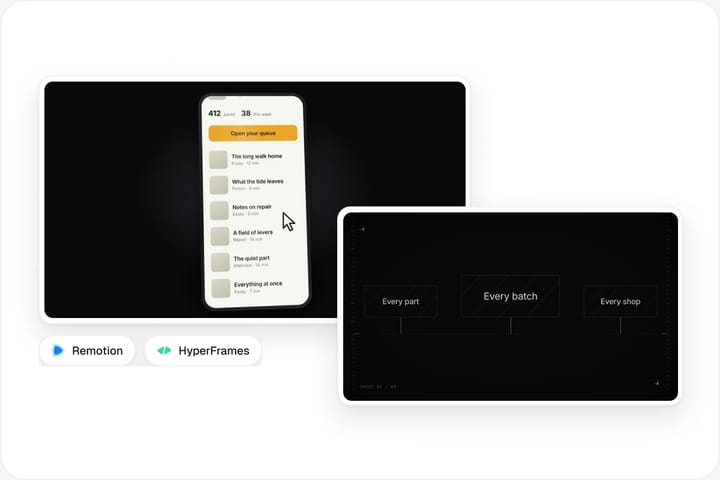
Ask for a slower intro, a different headline or a 9:16 cut for Reels. Claude edits the code and renders again.
Because the video is code, every word, colour and timing stays editable. You never start over from a new random result, the way you would with a text-to-video model.
We make each one ourselves and show the real video it renders.
Partly. Claude Code can cut and dress up your footage with FFmpeg and a video Skill. It is not a timeline editor.
| Aspect | Claude chat | Claude Code + video Skill |
|---|---|---|
| Trim, cut and join clips | No | Yes |
| Titles, captions and motion graphics over footage | No | Yes |
| Explainer B-roll from a script | No | Yes |
| Filmed scenes or realistic people | No | No |
| Drag-and-drop timeline editing | No | No |
Hand Claude Code a clip and a line from your script, and a motion Skill adds titles, checklists, charts or text behind you, then renders the result as a new segment. FFmpeg trims, joins and re-encodes clips from a plain request such as “cut the first 4 seconds and join these three files”.
Claude doesn’t watch your footage frame by frame like an editor, and it doesn’t invent filmed shots or realistic people. For a long edit with many cuts, keep a video editor for the timeline and use Claude Code for the motion segments you drop into it.
| Aspect | Claude Code + video Skill | AI video generator |
|---|---|---|
| How the video is made | Code rendered to MP4 | A model draws new footage |
| Your real numbers, logos and screenshots | Yes | No |
| Edit one word without redoing the rest | Yes | No |
| Filmed-looking scenes and people | No | Yes |
Use Claude for launch films, explainers, data stories and motion graphics, where every label has to be right. Use an AI video generator when you need footage that looks filmed. Many creators use both: generated shots for mood, Claude-made segments for the facts.
Yes. In Claude Code or Codex, Claude writes the video as code with Remotion, HyperFrames or FFmpeg and renders a real MP4 on your computer. On its own you describe and tune every shot, the timing and the layout; with a video Skill those come pre-designed, so the first cut lands much closer to what you want. In the claude.ai chat alone you get code or a plan, not a video file.
Yes. Describe the video in plain words and Claude Code plans the scenes, writes them as code and renders the MP4. A video Skill gives it shots, pacing and a style that are already designed, so you spend far less time steering. It animates the content you give it; it does not invent filmed footage the way a text-to-video model does.
In Claude Code, yes for many jobs: trimming and joining clips with FFmpeg, adding titles, captions and motion graphics, and rendering explainer segments. It is not a timeline editor, so long multi-cut edits still belong in a video editor.
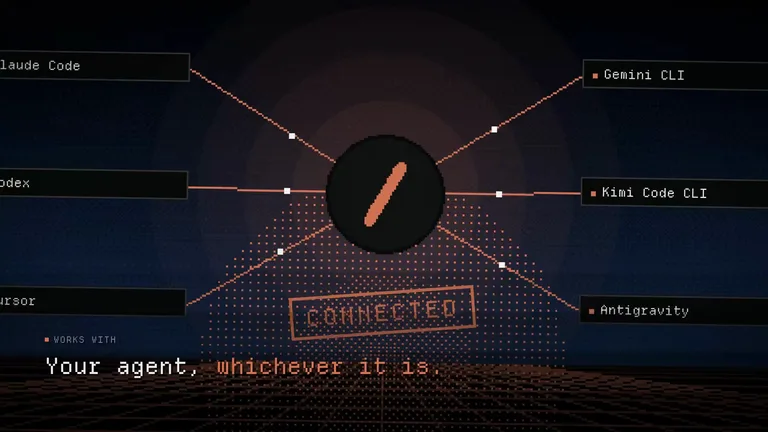
Yes. Video Skills are plain SKILL.md folders, so Codex and Cursor run them the same way Claude Code does. Paste the same install prompt into whichever agent you use.
No. You describe the video and ask for changes in plain words; Claude writes and runs the code. It helps to have Node.js and FFmpeg installed, and the install steps check for them.
Some video Skills are free and others cost $4.99 once. Rendering runs on your own computer. A few Skills use a paid service for music, voiceover or generated images, and each Skill page says which before you install.
Both turn code into MP4. Remotion writes videos as React components; HyperFrames uses plain HTML, CSS and JavaScript. Each Skill already picks one, so you only choose if you plan to edit the code yourself.