Tessellated Editorial Still Life


 +8
+8SKILL.md is an open format, so one Skill works across coding and work agents. Find yours, see where its Skills live, and install any Skillry Skill in one step.


Decks, websites, launch videos and images. Every Skill is a plain SKILL.md folder, so it installs into any agent below.
Every agent below reads the same Skill folder. The only difference is where it looks and how you install.
Claude CodeAnthropicCoding~/.claude/skills/.claude/skills/Install promptCodexOpenAICoding~/.agents/skills/.agents/skills/Install promptCursorAnysphereCoding~/.agents/skills/.agents/skills/ or .cursor/skills/Install promptGitHub CopilotGitHubCoding~/.copilot/skills/ or ~/.agents/skills/.github/skills/ or .agents/skills/Install promptGemini CLIGoogleCoding~/.agents/skills/.agents/skills/ or .gemini/skills/Install promptOpenCodeOpen sourceCoding~/.agents/skills/.agents/skills/ or .opencode/skills/Install promptAntigravityGoogleCoding~/.gemini/config/skills/.agents/skills/Install promptOpenClawOpen sourceCoding~/.openclaw/skills/ or ~/.agents/skills/skills/ (in a workspace)Install promptHermes AgentNous ResearchCoding~/.hermes/skills/.hermes/skills/ (trusted repos)Install promptKiroAWSCoding~/.kiro/skills/.kiro/skills/Install promptWindsurfCognitionCoding~/.agents/skills/ or ~/.config/devin/skills/.agents/skills/ or .devin/skills/Install promptClineClineCoding~/.cline/skills/.cline/skills/Install promptZedZed IndustriesCoding~/.agents/skills/.agents/skills/Install promptAmpAmpCoding~/.config/agents/skills/ or ~/.agents/skills/.agents/skills/Install prompt Kilo CodeKilo CodeCoding~/.kilo/skills/ or ~/.agents/skills/.kilo/skills/ or .agents/skills/Install prompt
 GooseAgentic AI FoundationCoding~/.agents/skills/.agents/skills/Install prompt
 JunieJetBrainsCoding~/.junie/skills/ or ~/.agents/skills/.junie/skills/ or .agents/skills/Install prompt
 OpenHandsAll Hands AICoding~/.agents/skills/.agents/skills/Install prompt
 Grok BuildxAICoding~/.grok/skills/ or ~/.agents/skills/.grok/skills/Install prompt
 Mistral VibeMistral AICoding~/.vibe/skills/ or ~/.agents/skills/.vibe/skills/ or .agents/skills/Install promptKimi CodeMoonshot AICoding~/.agents/skills/.agents/skills/Install promptTraeByteDanceCoding~/.trae/skills/.trae/skills/Install prompt
 QoderAlibabaCoding~/.qoder/skills/.qoder/skills/Install prompt
 CodeBuddyTencentCoding~/.codebuddy/skills/.codebuddy/skills/Install prompt
 ZCodeZ.aiCoding~/.zcode/skills/ or ~/.agents/skills/.zcode/skills/ or .agents/skills/Install prompt
 Qwen CodeAlibaba · QwenCoding~/.qwen/skills/.qwen/skills/Install prompt
 MiniMax CodeMiniMaxCoding~/.minimax/skills/ or ~/.agents/skills/.minimax/skills/ or .agents/skills/Install promptClaude CoworkAnthropicWorkCustomize › Skills—Upload ZIP
 ManusManusWorkSkills › + Add › Upload a skill—Upload ZIP
 Perplexity ComputerPerplexityWorkSkills › Create skill › Upload a skill—Upload ZIP
 WorkBuddyTencentWorkSkills › Add skill › Upload skill—Upload ZIP
 CozeByteDanceWorkCoze Coding › Skills › Upload skill package—Upload ZIP
A Skill is a folder your agent can read: instructions, scripts and examples for one job.

A SKILL.md file with a name and a description on top, plus any scripts, templates and reference files the job needs.
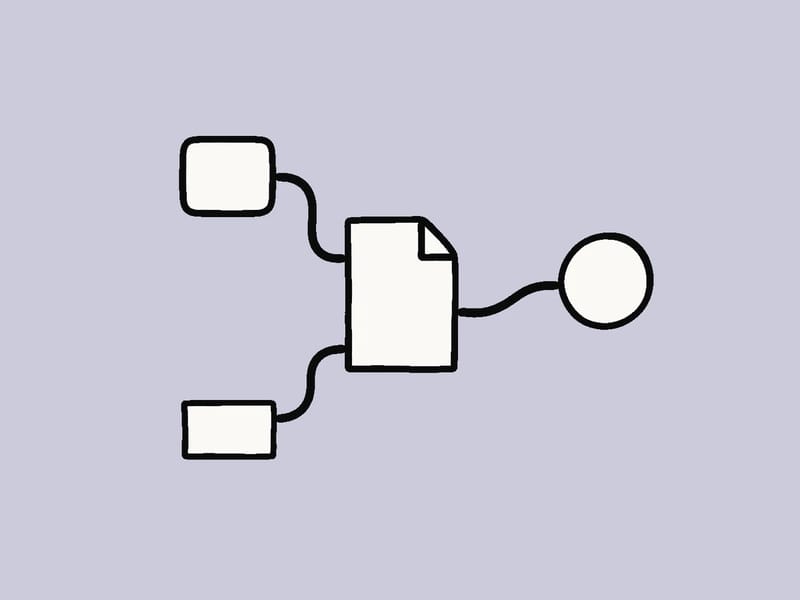
The same folder works in Claude Code, Codex, Kimi Code, Trae, WorkBuddy and every other agent on this page. Only the folder path changes.

Agents read just the one-line description until your request matches, so a hundred installed Skills cost almost no context.
---
name: inclusive-cutpaper-deck
description: Editorial workshop slides with cut-paper collages.
  Use when the user asks for a workshop or team deck.
---
# How to build the deck
1. Read references/layouts.md …
32 agents on this page read the SKILL.md format, from Claude Code, Codex, Cursor, GitHub Copilot and Gemini CLI to Kimi Code, Trae, Qoder and CodeBuddy. Work agents such as Claude Cowork, Manus and Perplexity Computer accept uploaded Skills.
No. A Skill is a folder with a SKILL.md file, and every agent here reads the same format. Only the folder you put it in, or the upload button you use, changes.
It is the shared skills folder many agents read, including Codex, Cursor, GitHub Copilot, OpenCode, Zed, Goose and OpenHands. Pasting the install prompt puts Skills there by default, so one install serves all of them.
AGENTS.md (or CLAUDE.md, GEMINI.md) holds rules the agent reads every session. MCP connects the agent to outside tools and data. A Skill teaches one repeatable job and loads only when your request needs it.
Click Copy install prompt on the Skill page and paste it into your coding agent; it installs the Skill for you. For work agents such as Claude Cowork or Manus, download the Skill ZIP and upload it in their Skills settings.