Tessellated Editorial Still Life


 +8
+8 Manus·Manus
Agent Skills for Manus. Upload a Skill ZIP once and Manus uses it in every task that fits, or pick it by typing / in the chat box.
ManusResearch our three competitors and make a deck
What to upload
Manus runs a skill’s Python or Bash scripts in its own sandbox.
Every Skill below uploads to Manus as a ZIP.
Manus supports the open Agent Skills standard. Each skill is a SKILL.md folder with optional scripts; add it under Skills › + Add, and Manus loads it when a task matches, or when you type / and pick it. Manus can also save a task that went well as a new skill for you.
Manus is great at research. A Skill decides what the deliverable looks like.

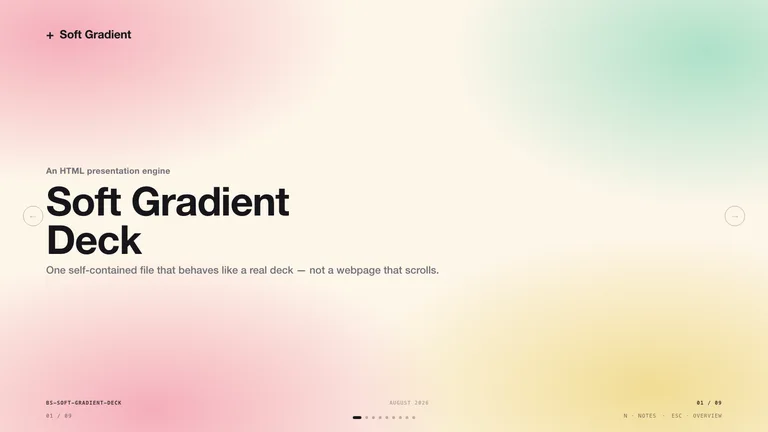
Findings as a designed deck, with sources kept in the notes.

Long reports as a clean, shareable one-page site.
Charts, covers and illustrations in one style.
Manus installs Skills from its own Skills page. No terminal needed.
Add the Skill from Manus’s own Skills page. No terminal needed.
Every Skill page has a Download ZIP button. That ZIP is what you upload.
A one-command install for Manus is not available yet. Use the ZIP for now.
They do different jobs, and most people use both.
Yes. Manus supports the Agent Skills standard: upload a SKILL.md skill as a ZIP, a .skill file or a folder, and Manus uses it automatically, or type / and pick it.
Yes. Choose Build with Manus under Skills › + Add, or save a task that went well as a skill. You can also import skills from GitHub or add official ones.
Yes. Manus runs a skill’s Python or Bash scripts in an isolated sandbox virtual machine.
Yes. A Claude Code Skill is a SKILL.md folder, the same format Manus reads. Zip the folder and upload it in Skills › + Add › Upload a skill.
Every category has free Skills; the rest are $4.99 each or included with a Skillry plan. Free and paid Skills install and run the same way.
The same Skills install in more than 30 coding and work agents. Pick yours for its folder and install steps.
Coding agents
Claude CodeSkills CodexSkills
 CursorSkills
 GitHub CopilotSkills
 Gemini CLISkills
 OpenCodeSkills
 AntigravitySkills
 OpenClawSkills
 Hermes AgentSkills
 KiroSkills
 WindsurfSkills
 ClineSkills
 ZedSkills
 AmpSkills
 Kilo CodeSkills
 GooseSkills
 JunieSkills
 OpenHandsSkills
 Grok BuildSkills
 Mistral VibeSkills
 Kimi CodeSkills
 TraeSkills
 QoderSkills
 CodeBuddySkills
 ZCodeSkills
 Qwen CodeSkills
 MiniMax CodeSkills