Mint Noir SaaS Site


 +7
 OpenCode
Agent Skills for OpenCode, the open-source terminal agent that runs any model. Paste one install prompt and every OpenCode agent can use it.
Updated November 21, 2026 · 630 Skills for OpenCode
The most-installed Skills for each thing you can ask OpenCode to make. Each card shows a real result.
Landing pages, admin consoles and stores with real layouts, type and motion.
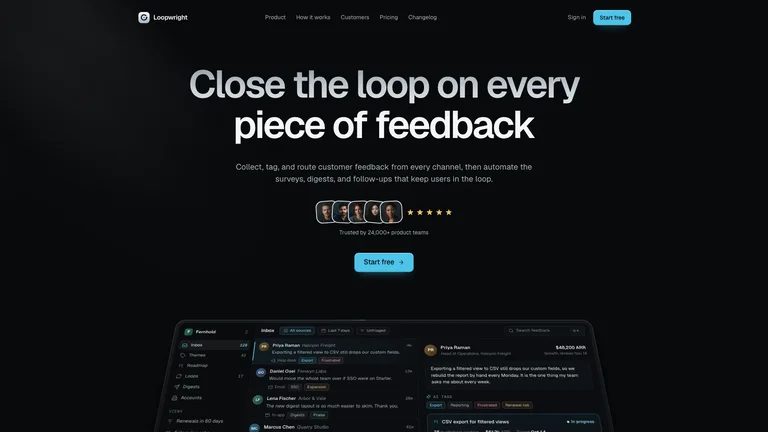
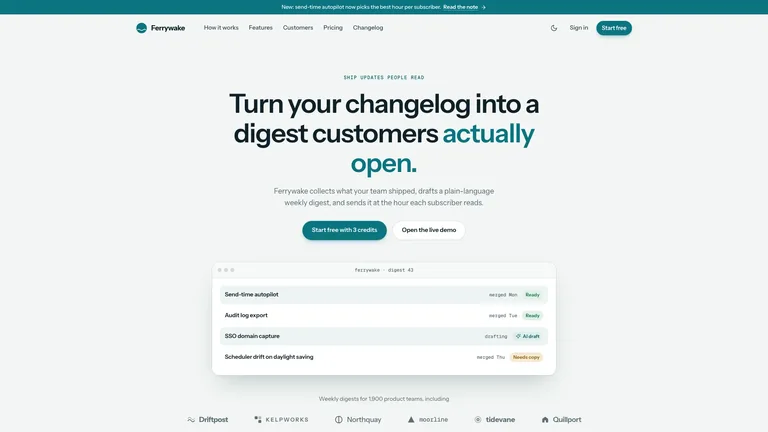
Build a dark product marketing website for an AI or SaaS tool, with near-black graphite surfaces, a single mint accent and italic serif highlight words inside bold headlines. You get five connected pages — Product, Pricing, Resources, Events and Changelog — each with working toggles, filters, search, countdowns and forms. Ideal for software teams launching an app who want a calm, premium site that looks like the product itself.
Create a dark, motion-rich SaaS marketing site that tells one continuous product story: a charcoal ground, one cyan accent, grey-to-white gradient headlines and a believable product screen that tilts upright as you scroll. Animated feature cards, a scroll-driven workflow, a customer spotlight with portraits, integrations and security, tiered pricing and an FAQ lead to a laptop mockup whose lid opens on scroll, with changelog, customer story, sign-in and legal pages included. You get one self-contained file that opens in any browser and works offline.
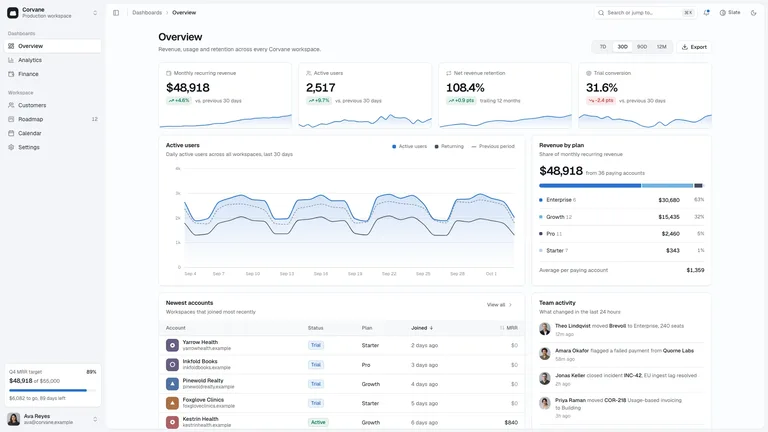
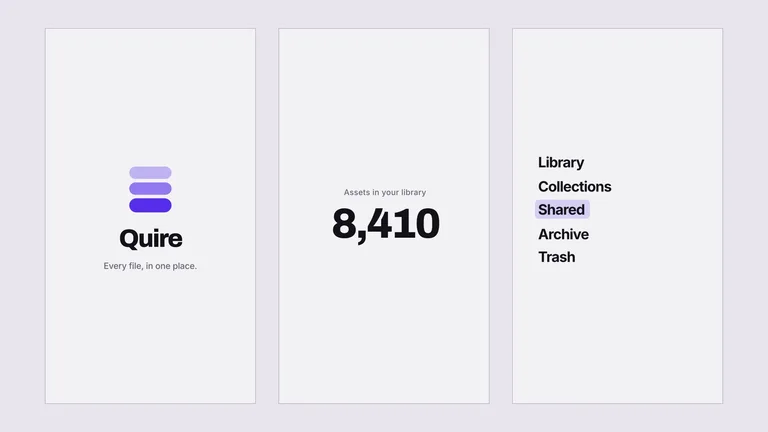
Build a product-grade SaaS admin console in a calm, near-monochrome style where colour is kept for data and status. A slim two-group sidebar with no dead links sits beside a header with a command palette, light and dark modes and two theme presets. Seven working views cover overview, analytics, finance, customers, a drag-and-drop roadmap board, a month calendar and settings. The example product is Corvane, and the default output is one self-contained file that opens offline.
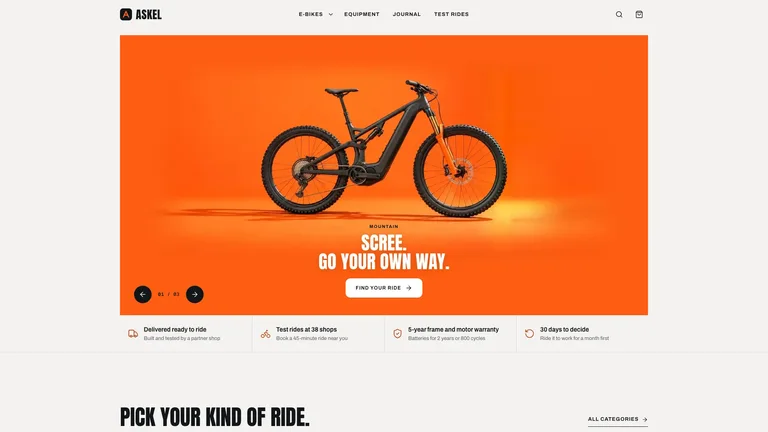
Build a premium electric-bike store with an orange photographic hero, bold condensed headings, dark photographic category cards and a dark component explorer that swaps close-up photos. Stone product cards come from one coherent studio set, and the whole store works: variants that change the price, a mini-cart, bag, demo checkout, compare, a range calculator and test-ride booking. By default it arrives as one self-contained file that opens offline in any browser.
HTML decks you edit in the browser and export as an editable PowerPoint file.
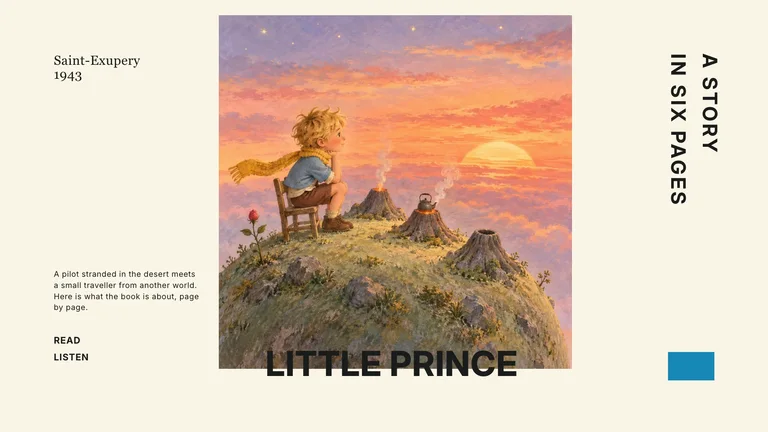
Turn any document, report, link or idea into a narrated presentation you can listen to. Pick a look from every Skillry PPT style, get an editable deck with a spoken script for each page, then add voiceover from ElevenLabs or HeyGen. The finished deck plays page by page with speed control and auto-advance, and your last style choice is remembered.
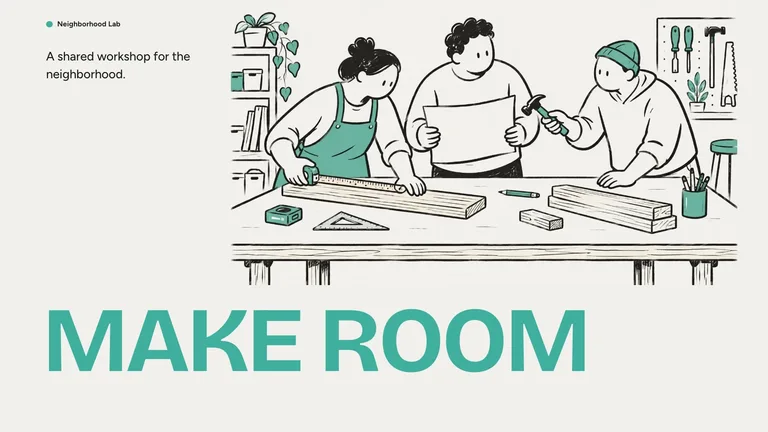
Create a slide deck with oversized mint headlines, loose black marker characters, and warm paper backgrounds. Turn project plans, workshops, and team updates into a presentation you can edit in your browser and export to PowerPoint.
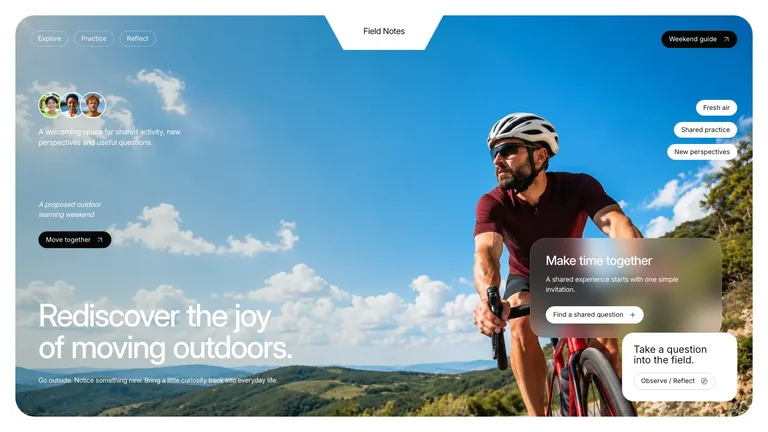
Create refined outdoor-learning presentation pages with sky-blue sports photography, sage-green cards, frosted overlays, compact capsules, asymmetrical image tiles and independent original images. Use this visual language to present outdoor-learning programs with a clear, consistent rhythm. The slide count follows your brief, with original artwork planned around the content and layouts. Every deck can be edited in the browser and exported as an editable PowerPoint file.
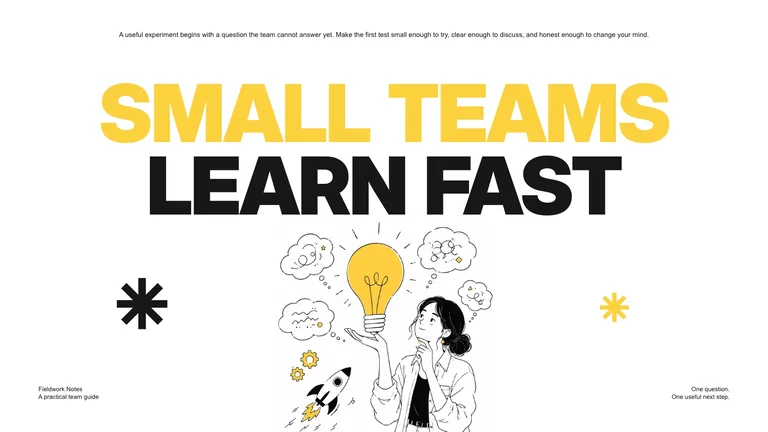
Create bold editorial presentation pages with oversized black and yellow typography, crisp white space, asymmetric copy islands, fine ink figures and independent original illustrations. Use this visual language to present small-team experiments with a clear, consistent rhythm. The slide count follows your brief, with original artwork planned around the content and layouts. Every deck can be edited in the browser and exported as an editable PowerPoint file.
Launch films and motion graphics rendered to MP4.
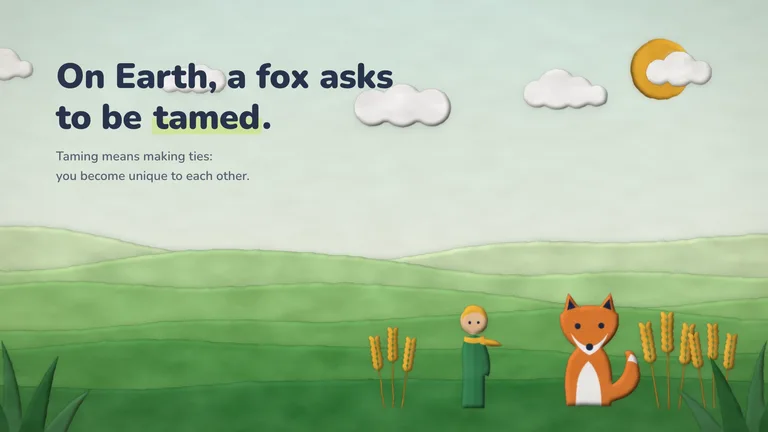
Turn any story, lesson or brand message into a paper-cutout storybook video with soft clay-and-felt pieces, layered green hills, a warm sun and props that pop, grow and slide into place like a child's collage. Give it your own topic, script or notes; it plans the scenes, builds the props around your subject and adds an optional music bed. You get an MP4 in 1080p, 2K or 4K plus an editable film you can preview in the browser.
An oversized condensed headline punches in behind a presenter. A clean edit removes the presenter while the same lettering holds its scale and position.
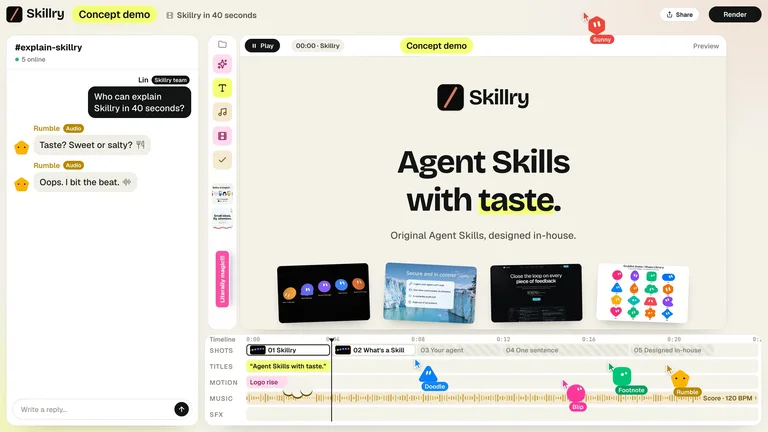
Turn any product link into a 40-second launch film where five cute characters, in the style you pick (geometric bots, expressive shapes or felt plush), build your product's promo live in a playful team editor: chat, cursors, a beat-synced timeline and a preview that plays your logo, real screenshots, key features and URL. The Skill reads the site, checks every claim against it, matches the crew's colors to your brand and delivers an editable film plus a 4K or 1080p MP4 in English, Chinese or both. Use it for launch posts, product announcements and social clips.
Build a short product sting where every cut is velocity-matched, so seven scenes read as one continuous camera move instead of a stack of screens. Delivered as a rendered MP4 plus a single-file project carrying a seam ledger, so the piece can be re-branded later without the motion coming apart.
Infographics, visual notes, portraits and illustrations in one fixed style.
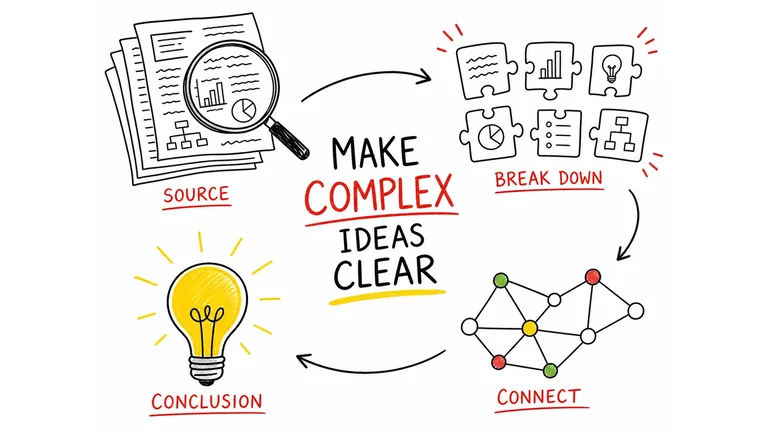
Turn source material into one focused 4:3 visual note, using hand-drawn illustrations, a strong English title, and a small set of accurate labels. It helps educators, creators, and teams make a process or idea easier to understand at a glance without reducing it to a dense slide.
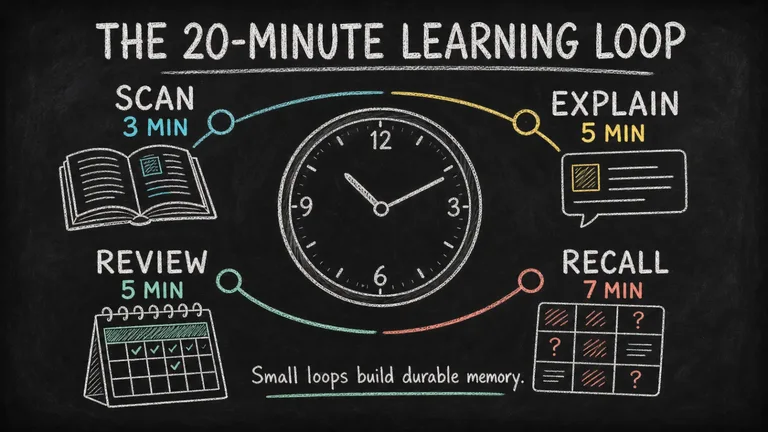
Turn a lesson, process, or data story into a readable chalkboard-style infographic with clear hierarchy, concise copy, and original illustrations. It helps educators, creators, and teams make one takeaway easier to grasp and share without turning the image into a dense slide.
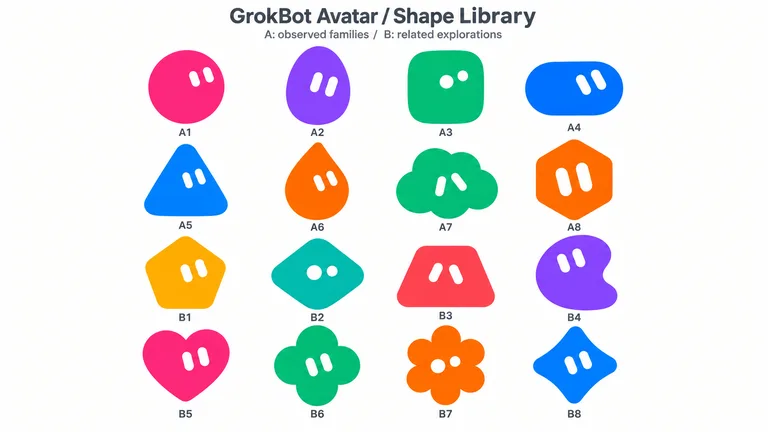
Create rounded Original mascots or cute soft-vinyl Anime avatars with simple solid eyes and vivid colors. Follow explicit character requests first, use reliable user memories to personalize missing details for a personal avatar, and turn an approved shape into a matching toy-like character when requested.
Create Headspace-style OG images. Use them for social media posts.
OpenCode loads global skills from ~/.config/opencode/skills/, ~/.claude/skills/ and ~/.agents/skills/, and project skills from .opencode/skills/, .claude/skills/ and .agents/skills/, searching up to the git root. Each skill is a SKILL.md folder that OpenCode loads when your request matches its description.
Agents decide who does the work. Skills decide how one job is done.

Assistants with their own model, prompt and permissions.
One job, loaded on demand by whichever agent is running.

Give your build agent design Skills and it picks the right one.
Every Skillry Skill is a plain SKILL.md folder. Pick whichever way fits how you work.
Paste one sentence into OpenCode. It reads the install guide and puts the Skill in the right folder itself.
No Node.js needed. Unzip the Skill into the folder yourself.
~/.agents/skills/.One command downloads the Skill and puts it where OpenCode looks.
Skill not showing up? How to install a Skill · Fix a Skill that won’t load
They do different jobs, and most people use more than one.
Go deeper: Skills vs MCP · Skills vs AGENTS.md
It depends on what you want OpenCode to make. By installs, the top picks are Mint Noir SaaS Site for websites, Narrated Report Deck for slides, Paper Cutout Story Video for launch videos, and Hand-Drawn Visual Notes for images.
Yes. OpenCode reads SKILL.md folders from ~/.config/opencode/skills/, ~/.claude/skills/ and ~/.agents/skills/, plus the matching project folders, and loads one when your request matches.
An agent is a configurable assistant with its own model, prompt and permissions. A skill is know-how for one job that any agent can load. Give a build agent your design skills and it picks the right one.
Copy the install prompt from the Skill page and paste it into OpenCode, or unzip the Skill into ~/.agents/skills/. OpenCode picks it up in the next session.
Yes. A Claude Code Skill is a SKILL.md folder, the same format OpenCode reads. Copy the folder into ~/.agents/skills/ and OpenCode picks it up.
Every category has free Skills; the rest are $4.99 each or included with a Skillry plan. Free and paid Skills install and run the same way.
The same Skills install in more than 30 coding and work agents. Pick yours for its folder and install steps.
Coding agents
Claude CodeSkills CodexSkills
 CursorSkills
 GitHub CopilotSkills
 Gemini CLISkills
 AntigravitySkills
 OpenClawSkills
 Hermes AgentSkills
 KiroSkills
 WindsurfSkills
 ClineSkills
 ZedSkills
 AmpSkills
 Kilo CodeSkills
 GooseSkills
 JunieSkills
 OpenHandsSkills
 Grok BuildSkills
 Mistral VibeSkills
 Kimi CodeSkills
 TraeSkills
 QoderSkills
 CodeBuddySkills
 ZCodeSkills
 Qwen CodeSkills
 MiniMax CodeSkills